
Customisable Reports: Turn Your Dashboards into Reports
Turn the charts, tables and KPIs on your dashboards into customisable reports. Export as PDF, Excel or CSV and email them automatically.
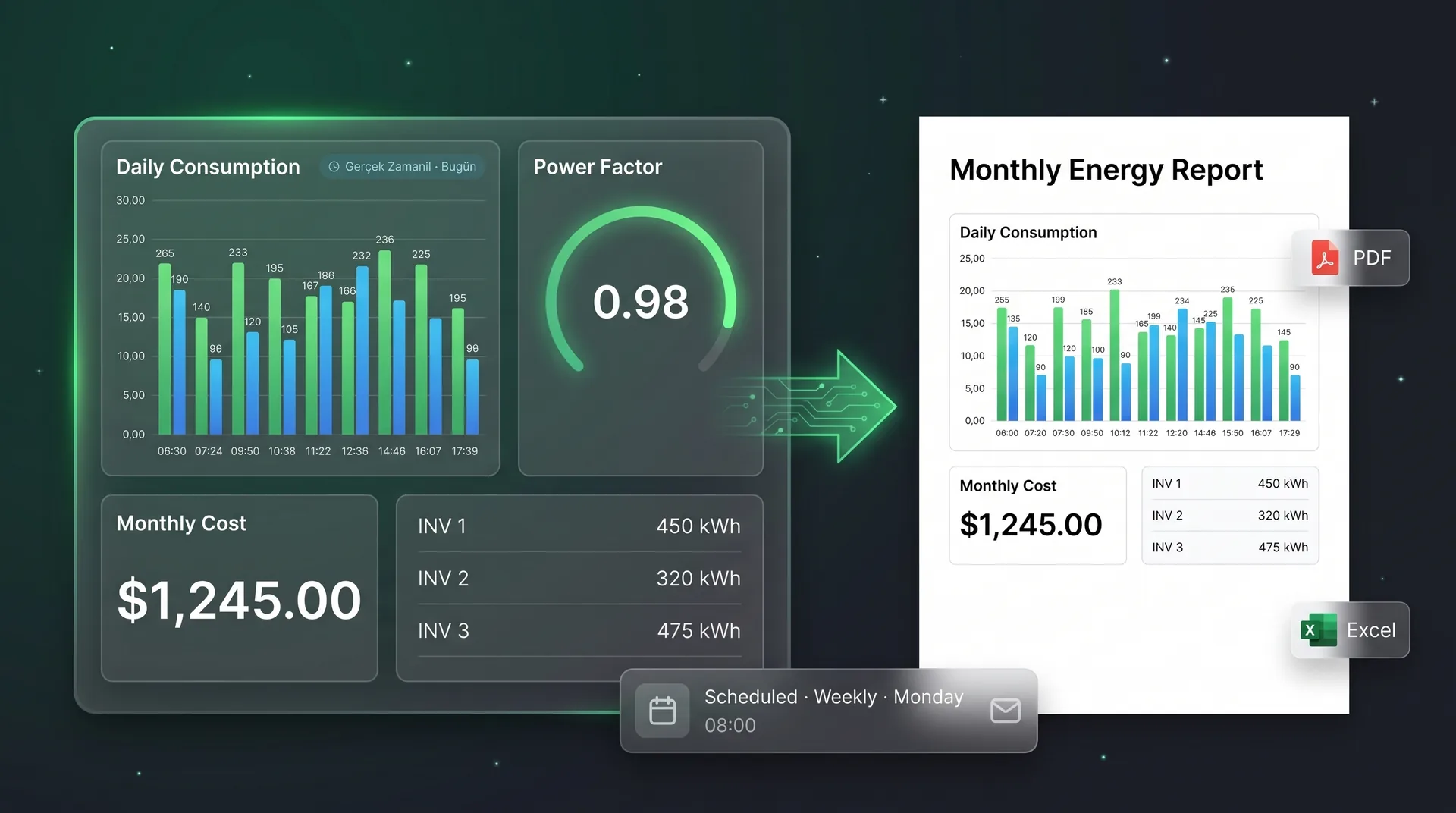
A dashboard is great on screen. But the board, a customer or an auditor wants a file. In SolarTools, everything that makes up your dashboards can now be delivered as a customisable report.
From dashboard to report
Place charts, tables and KPIs on your report page with drag and drop.
Scheduled delivery
Daily, weekly or monthly, at the hour and minute you choose.
PDF, Excel, CSV
PDF for presentations; Excel and CSV for your own analysis.
Ready templates
Daily production, weekly and monthly summary, alarm and performance reports.
How it works
Get started in three steps
- 1
Choose the content
Set report type, date range, data resolution and scope.
- 2
Design it
Drag components from your dashboards onto the report page and order them.
- 3
Schedule it
Add recipients; the report is emailed automatically every period.
Who is it for?
Who benefits most?
Management and finance
Seeing monthly energy cost in one file.
Energy managers
Preparing regular reports for ISO 50001 and internal audits.
Solar investors
Receiving plant performance as regular reports.
Service providers
Sending a separate report to each customer.
Details
Report types
| Report | What it shows |
|---|---|
| Production | Solar production, expected vs actual |
| Consumption and energy | Consumption by line, device and time of use |
| Alarm | Alarms in the period and their durations |
| Performance | Plant and equipment performance indicators |
| Comparison | Benchmarking across sites or periods |
FAQ
Common questions
Which formats are reports available in?
PDF, Excel and CSV, and they can be shared by email.
Can reports be sent automatically?
Yes. Schedule daily, weekly or monthly; the report is downloaded, emailed, or both.
How do I manage scheduled reports?
From one screen you see the last and next run, pause, edit or run a report manually.
A separate report for every customer, site or manager. You decide what goes in.
More updates
All of What's New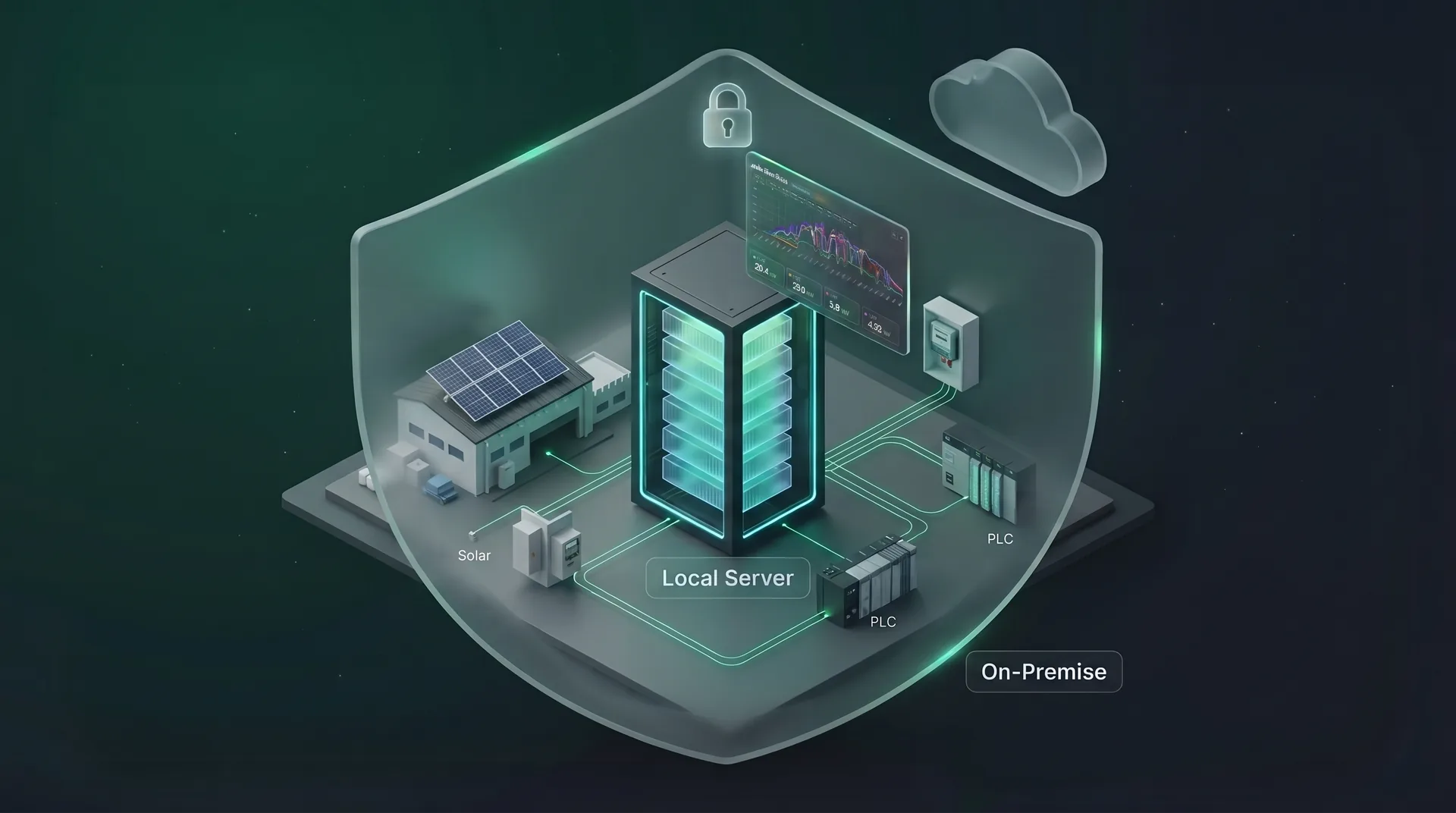
SolarTools Now Runs on Your Own Server with Docker
SolarTools can now be installed on your own server with Docker. The same dashboards, SCADA, alarms and reports — without data leaving the site.
Read more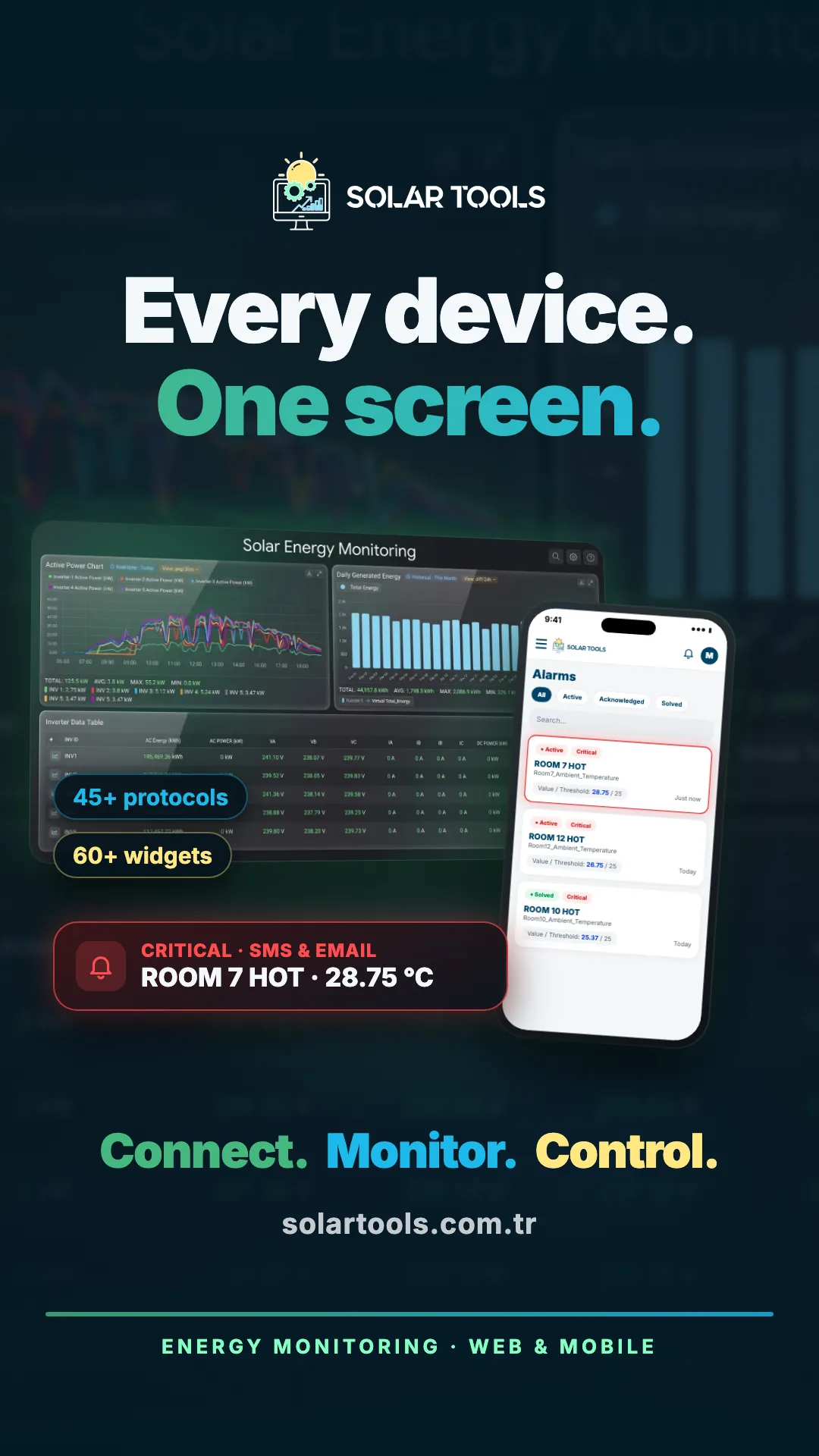
Mobile App: Your Facility in Your Pocket
Monitor dashboards, real-time data, device and solar plant status from iOS and Android. Critical alarms arrive as instant notifications.
Read more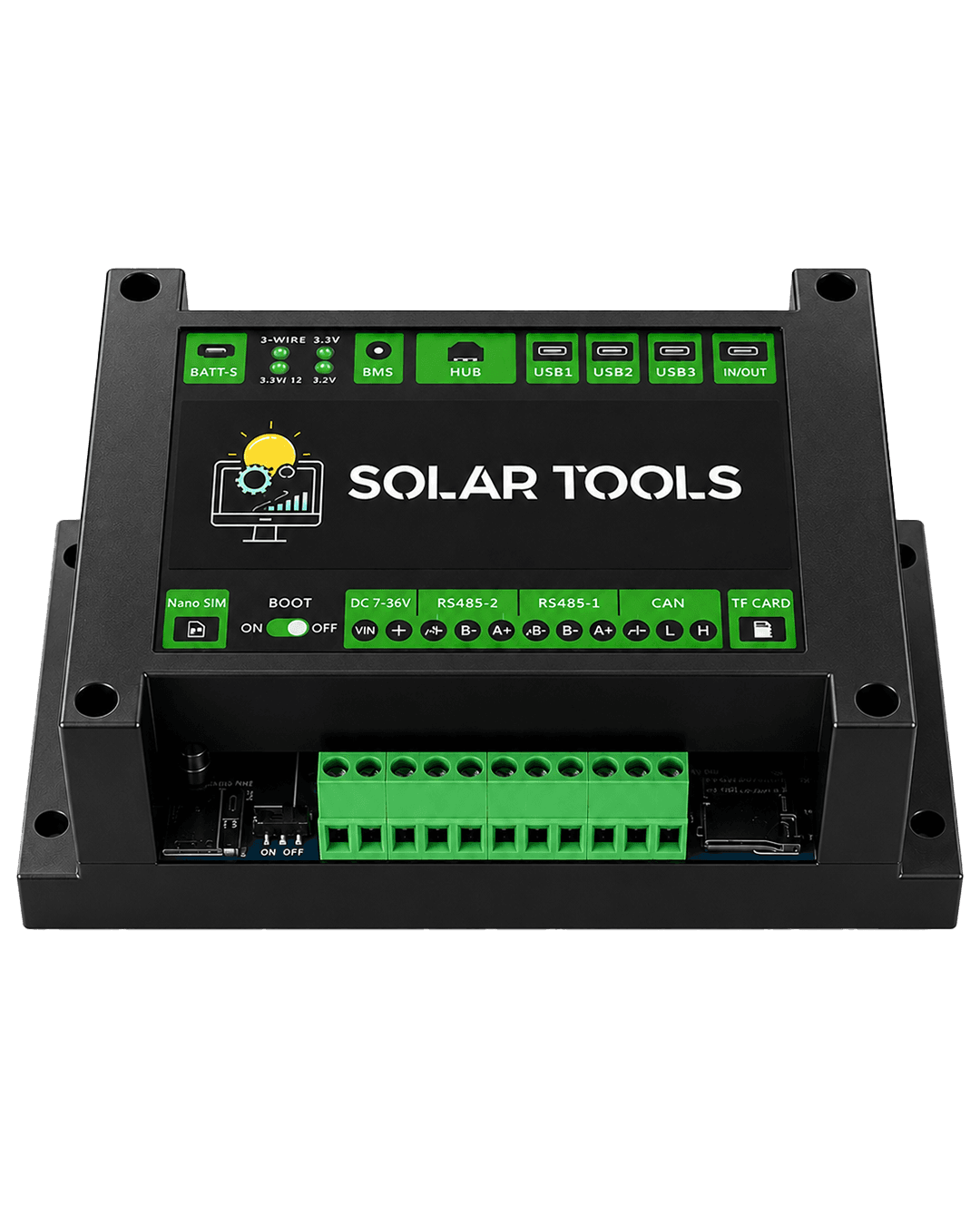
SolarTools Gateway: Every Field Device on the Platform with One Box
The Gateway Standard Kit reads your Modbus devices, keeps data when the link drops, and is configured and updated remotely from the portal.
Read moreEnergy, solar and IIoT on one platform
In the cloud or on your own server. Sign up free.